
A lot of people’s FetLife accounts get locked for seemingly no reason. Support often stays silent, which only adds to the confusion.
What does a FetLife lock mean? Why does it happen, and how can you get your account back? This is everything you need to know:
| Type | 📝 Description | ⏳ Duration | 🛠️ Recovery? |
| Timeout | Temporary block (from suspicious behavior or browser issue) | A few hours to a few days | ✅ Usually fixes itself |
| Suspension | Short-term freeze after spammy or borderline activity | Several days | ⚠️ Sometimes, if not repeated |
| Lock | Full shutdown: profile vanishes, login blocked, no explanation | Indefinite | 🧾 Rarely, unless ID is verified |
| Permanent Ban | Total removal; usually for monetization, violations, or reports | Forever | ❌ No, almost never reversed |
Types of FetLife Locks & What Triggers Them

On FetLife, the word locked can mean different things. There are four states users encounter, even though FetLife mostly labels them the same way:
- ⏱️ Timeout: temporary blocks that may lift on their own within a few days.
- ⚠️ Suspension: short-term restriction, usually after spam-like behavior.
- 🔒 Lock: full account shutdown with no access and no visibility.
- ‼️ Permanent ban: functionally identical to a lock, but irreversible.
If your account remains inaccessible and hidden for more than a few days, especially without any follow-up email, it is likely a permanent ban.
Try a new browser to rule out cookie/session issues, and check if others can see your profile by asking a trusted friend to search your username.
Why FetLife Locks Accounts: Key Triggers
Some locks happen instantly, others are delayed by hours or days. FetLife rarely explains why accounts are locked. Here are the most consistent causes:
– Monetization & Payment Mentions
Mentioning content-creating (like OnlyFans) is a big no-no because FetLife is strictly against selling/paying for adult content, even in DMs. Payment usernames, discussing sales, and subscriptions raise red flags.
– Findom & SW-Related Language
Using terms like tribute, findom, allowance, or financial servitude and participating in findom groups (then later adding payment handles).
– False Reports
Reports on FetLife are taken seriously, even unfair ones (jokes, trolls, revenge, etc.). You’ll get banned shortly after multiple users report your profile.
– Behavior Patterns & Automation Flags
Joining many groups or sending many DMs within minutes of signing up looks bot-like. “Overly-active” new accounts get banned within minutes of signup.
– Tech & Browser Issues
It’s not always the behavior – FetLife in-app glitches (e.g., failed login attempts or security challenges) may look like bans. Extensions like HoverZoom or script blockers could trigger the security systems.
– Recycling Information
Reusing banned images, bios, or device/browser/IP info gets your account locked – FetLife uses image hashing, text similarity, and device fingerprinting.
Whatever you did (or didn’t) do, you still have a chance. These are the 3 ways to recover your locked FetLife account:
1. Check if FetLife Sent You an Email
Sometimes, FetLife sends a delayed email. It may take hours or days to arrive, but it should.
- If you got one, follow the verification instructions.
- If nothing comes, proceed to contact support directly.
If support asks for ID, you’ll need to send a government-issued ID or a selfie holding the ID next to your face.
⚠️ Once an ID is linked to a banned account, you cannot reuse that ID again. New accounts may get instantly locked after submitting a previously-used ID.
2. Contact FetLife Support to Appeal Your Ban
If no email comes, reach out through the Contact Form or send a message to support@fetlife.com.
📝 What to say (example):
“Hello,
My account appears to be locked, and I’m not sure why. Could you let me know what happened and if there’s any way I can restore access?
Thanks for your time.”
Keep it calm, polite, and factual. Avoid debating your kinks or using aggressive language. Keep it professional and neutral.
📌 Important:
- Responses may take days or never come at all.
- In most appeal cases, ID verification is the only path to recovery.
- If you refuse to send ID, the account will remain locked indefinitely.
3. Start from Scratch on FetLife (Account and Device)
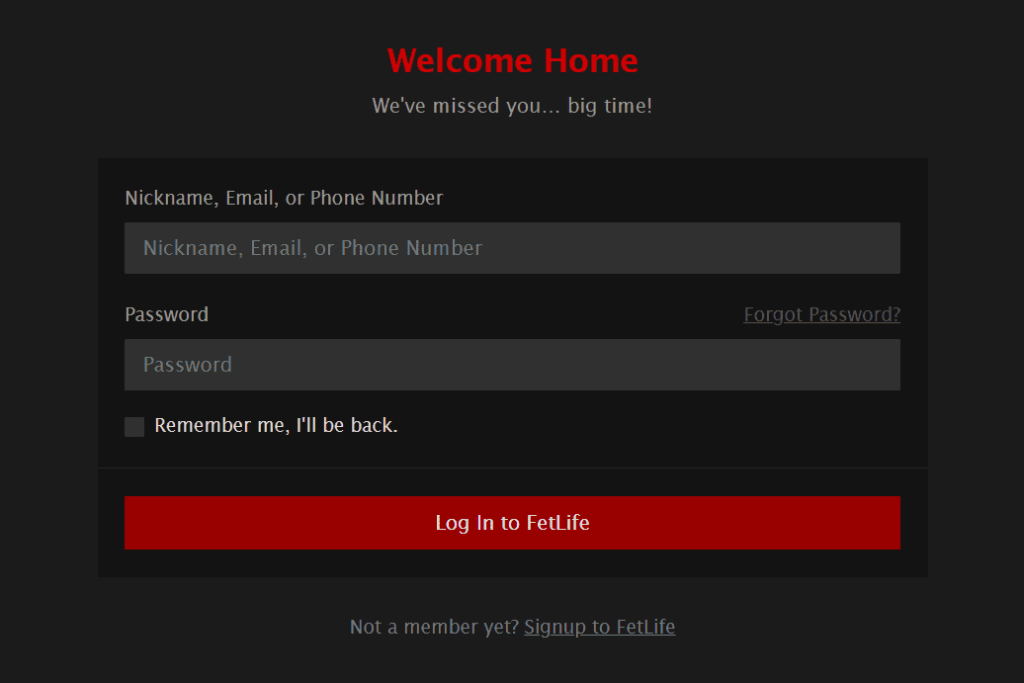
If appeals fail, your only option is a fresh start, but it’s not as easy as just signing up again, because FetLife detects banned users through tracked data:
numbers, device and browser IDs, IP addresses, profile elements, etc.
To maximize your success, you have to use completely new info, from A to Z – follow these steps to get unbanned on FetLife:
1. Device & Browser
Use a different device (or factory-reset it). If you reuse your old one, switch browsers, and clear cookies and all data. P.S. Incognito alone isn’t enough.
Important: Do not use the same browser account, as it reveals previously-kept data that FetLife uses to recognize its users.
2. IP Address
Do not use your old home Wi-Fi. Use mobile data or a reputable VPN – avoid free VPNs and shared IPs. Restart your router if your ISP assigns dynamic IPs.
3. Phone Number & Email
FetLife requires SMS verification, but numbers tied to locked accounts cannot be reused, and free/VoIP numbers often fail. Use a reliable SMS service like DatingZest, which offers FetLife-specific numbers that consistently work.
Use a brand-new email address, and avoid any variation of your old username. Don’t reuse your bio, tone, or writing style.
4. New Images & Account Content
Never reuse old photos without deleting their hash first – you can use DatingZest Image Hash Cleaner for this, or manually edit your photos. Your best bet, however, is taking new photos.
How Not to Get Locked Out on FetLife Again
To stay safe on FetLife long-term, you have to avoid the triggers. That means steering clear of bot-like and suspicious behavior in general.
- Don’t link OnlyFans, CashApp, or any payment app
- Don’t mention selling content, “tribute,” or financial dynamics
- Avoid $ signs, money-related emojis, or keywords
- Don’t link Telegram, Kik, Snapchat, or WhatsApp immediately
- Avoid reposting anything from your old profile
Instead of adding 20 groups or sending 10 messages right away, let the account “breathe” and age naturally. Add details gradually over a few days.
If you want to delete your FetLife account…go to Settings > Delete Account. If you’re locked out of your account, you must email support – if they decide to help you, your account data will be deleted.
If you made important connections inside of FetLife, I recommend you preserve them…if you want, of course!
Export your contact list, stay connected through Discord, Reddit, or Telegram, and attend local munches and real-life events.
Locked FetLife Accounts: FAQs
1. How do I know if my FetLife account is permanently locked?
If you’ve been locked out for more than a few days with no email from FetLife, and your profile has disappeared from search, it’s almost always permanent.
2. Can I recover a locked FetLife account?
Sometimes, but only if you didn’t violate monetization rules. If support responds or requests ID verification, you may have a chance, but most users never get a reply.
3. Should I appeal if I didn’t do anything wrong?
Yes. Keep it short and calm. Ask for clarification, don’t explain your fetishes. It won’t always work, but it’s worth trying.
4. What if I don’t hear back from support?
Wait a few days, then assume it’s permanent. You can try creating a new account, but only if you change everything from device to photo.
5. How can I avoid being locked again?
Don’t link payment platforms, reuse photos, or repeat content. Go slow, keep a low profile, and avoid triggering FetLife’s automation. Use a trustworthy phone number from a legit source like DatingZest, and have a guaranteed return!
Why Is My FetLife Account Locked? Common Reasons
FetLife accounts can be locked for various reasons, often without warning. Below are the most common triggers based on user reports.
1. Linking to OnlyFans, CashApp, or Payment Services
Many users reported their accounts were locked immediately after adding links to OnlyFans, CashApp, Patreon, or Linktree in their profile. Even listing these services without a direct link can trigger a lock.
FetLife prohibits any form of monetization, including promoting adult content or requesting payments.
2. Findom & Sex Work Mentions
Discussing financial domination (findom), escorting, or selling content can lead to a lock—even in private messages. Some users were banned simply for using symbols like “$” in chats.
While FetLife allows kink discussions, it strictly forbids any form of financial exchange related to adult content or services.
3. Multiple Reports or Fake Profile Suspicions
Accounts often get locked if other users report them as fake or suspicious. This can happen due to personal disputes, jealous ex-partners, or people targeting findoms.
In many cases, FetLife requests ID verification to unlock the account. If you don’t provide it, the account remains locked.
4. Technical Glitches & Spam Triggers
Some accounts are locked due to automated security measures. Rapidly reloading the site, joining multiple groups too quickly, or messaging too many people at once may trigger a spam filter.
Brand-new accounts sometimes get locked within minutes for no clear reason, likely due to bot detection systems.
5. Prohibited Fetishes or Activities
FetLife monitors content for certain restricted kinks and activities. Some users believe even selecting certain fetishes in their profile increases the risk of a lock. If your account gets flagged for violating community guidelines, FetLife may lock it without prior warning.
If your account was locked, understanding the possible reason can help you decide your next steps. In the next section, we’ll cover ways to recover a locked account.
How to Attempt Account Recovery
If your FetLife account is locked, recovery can be difficult, but there are a few things you can try.
1. Contacting FetLife Support
Your first step is to email FetLife support via support@fetlife.com or through the contact form on their website or reply to the lock notification if you received one. However, many users report no response, even after multiple attempts.
If you try this route, keep your message short and polite, explaining that your account was locked and asking for guidance on how to restore it.
Hi FetLife Support,
I recently discovered that my account has been locked, and I’m unsure why. I’d appreciate any clarification on the reason and guidance on how I can regain access. Please let me know if any steps are required from my side.
Thank you for your time.
2. Complying with ID Verification Requests
If FetLife asks for ID verification, this is often the only way to unlock your account. Some users successfully recovered their accounts by providing a government-issued ID.
However, if you’re uncomfortable sharing personal documents, your account will likely remain locked.
3. Waiting It Out (Temporary Locks)
In rare cases, FetLife issues temporary suspensions instead of permanent locks. If your account says “Timed Out”, you may get access after a few days. If it remains locked for over a week, it’s likely a permanent ban.
4. Technical Troubleshooting (Minimal Effect)
Some users assume their account is locked due to a browser issue, but this is rarely the case. Clearing cache, switching browsers, or trying different devices won’t help if your account is actually locked. However, if you’re unsure, you can try logging in from another device to confirm.
If these steps don’t work, you’ll need to explore alternative options, including creating a new account.
Creating a New FetLife Account After Being Locked
If your account remains locked and FetLife support doesn’t respond, your best option is to create a new account. However, FetLife has security measures in place to detect and block returning users, so you need to be careful with how you set up a new account.
Many users successfully return to FetLife by starting fresh, but you must avoid using identifiable information from your previous account. Here’s how to do it correctly:
Step 1: Do NOT Use the Same Browser or Device
FetLife tracks cookies, browser fingerprints, and device identifiers to detect returning users. To avoid being flagged:
✅ Use a different device (e.g., sign up from your phone if your PC was flagged).
✅ If using the same device, switch to a different browser or clear cookies and cache before signing up.
✅ Use Incognito/Private Mode to prevent browser tracking.
Step 2: Change Your IP Address
FetLife can track your IP address, so using the same one may trigger an instant lock.
✅ Use a VPN to mask your IP.
✅ If using a phone, switch to mobile data (4G/5G) instead of Wi-Fi for a new IP.
✅ Restart your router (some ISPs provide a new IP when you do this).
Step 3: Use a New Phone Number for Verification
FetLife requires phone number verification, and you cannot reuse a number linked to a locked account.
✅ Get a fresh phone number.
✅ Use DatingZest’s FetLife Service for a verified number that works specifically for FetLife registration.
Step 4: Use a Different Email Address
While some users have reused their old email, it’s safer to use a new one.
✅ Create a new email with Gmail, Outlook, or ProtonMail.
✅ Avoid using the same username as your previous account.
Step 5: Be Careful With Your Profile Information
If your previous account was locked for violating FetLife’s policies, avoid making the same mistakes.
✅ Do NOT link OnlyFans, CashApp, or other payment services.
✅ Do NOT mention findom, financial domination, or selling content.
✅ Avoid copying your old bio word-for-word.
✅ Avoid using the same profile picture or any recognizable images from your previous account, as FetLife may flag them.
If you are a content creator or findom, avoid listing payment platforms. Instead, direct interested users to message you for details. Avoid using the same profile picture or any recognizable images from your previous account, as FetLife may flag them.”
Step 6: Take It Slow
New accounts that immediately start joining multiple groups, following many people, or sending messages can get flagged as spam.
✅ Gradually build your profile over a few days.
✅ Start with one or two group joins, then slowly increase activity.
✅ Avoid sending mass friend requests too quickly.
Other Ways to Stay Connected
If you’re still on FetLife, consider saving important contacts elsewhere so you don’t lose access if your account gets locked.
If creating a new account isn’t an option, you can stay active in the kink community through:
- Twitter, Reddit, or Discord for online networking.
- Real-life munches and events for meeting people offline.
- Kink-friendly dating apps (like Feeld) for connections.
Getting locked out of FetLife is frustrating, but with the right steps, you can create a new account and stay under the radar.
Using a fresh phone number, changing your device or IP, and avoiding restricted content will help prevent future locks.
If you need a verified number for FetLife, DatingZest’s FetLife Service makes the process quick.

Leave a Reply