

Description
How to Verify your Bumble with DatingZest
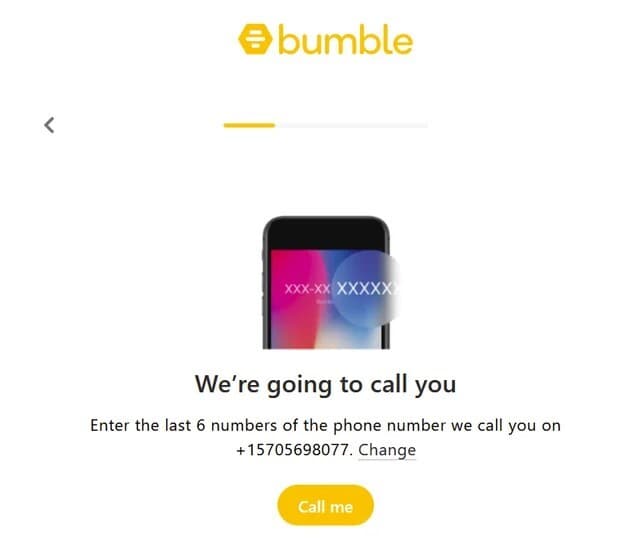
- 1️⃣ Purchase the phone number on DatingZest Bumblefone
- 2️⃣ Open the dashboard
- 3️⃣ Use the phone number to sign up
- 4️⃣ Copy & paste the code – applies to both SMS and Phone Verification
*The Phone Call Verification works the same way: the code appears in the dashboard.
We offer support and a money-back guarantee. If you have any questions, complaints, or comments, reach us at support@datingzest.com – we are available from 8 a.m. to 8 p.m. [GMT+2]. 📩
What can you use DatingZest Bumble Phone Numbers for?
Sign up or log in with a DatingZest number, or update your current phone number – our numbers work with alternate Bumble log-in methods (Apple or Facebook). They help with opening a second Bumble account, too.
DatingZest has been designed to help users all over the world pass the Bumble phone and SMS verification, even if they’re stuck on error messages:
- Please check your number”
- “Something went wrong, try again later”
- “The login is already connected to a Bumble account”
- “There’s been a little glitch”, etc.
DatingZest supports Bumble short codes and uses non-VoIP technology. The verification codes are 100% instantly sent, unlike free & public services that chuck obstacles at users due to lackluster technology.
Q&A:
- How does DatingZest help improve my profile’s quality?
DatingZest provides real, efficient phone numbers, which in most cases help users start fresh without any previous linkage. In turn, new profiles that don’t look suspicious to Bumble may see a boost in matches.
- How to update my number on Bumble?
Go to Settings on Bumble > Security & Privacy > Login Methods. Here, you can switch your old phone number or add a new login method.
- How do I log in to my Bumble account without a phone number?
To avoid needing the number and verification code in the future, add Facebook or Apple ID as alternate login methods when signing up.


Reviews
There are no reviews yet.