

Whether you’ve been shadowbanned, getting fewer likes, or simply want a completely fresh start, Tinder’s 3-month rule in 2025 has become the best-known method for wiping the slate clean.
But doing it wrong can leave you stuck in the same rut, or worse, get you banned altogether. Here’s why the 90-day rule matters so much, how to pull it off the right way, and what you need to avoid.
Why Tinder Needs 90 Days to “Forget” You
Many people mistakenly think that deleting and reinstalling Tinder makes them a new user immediately. Unfortunately, Tinder’s systems don’t work that way.
When you delete your account, Tinder holds onto your data for about 90 days. It’s not because they’re spying on you, but because:
- They are required to store some data for user safety and fraud prevention.
- Users often want to recover deleted accounts if they change their minds.
During those 90 days, Tinder still knows who you are thanks to things like your phone number, email address, device ID, and photos, which Tinder can identify using digital fingerprints called hashes.
So if you delete your account and come back too soon using the same phone, email, photos, or device, Tinder can ban you.
The 90-day rule is crucial because waiting the full three months allows Tinder’s system to purge most of your old data. After that, Tinder is far less likely to link your new account to your old one.
Does the 90-Day Rule Help Remove Shadowbans?
It could. A shadowban happens when your profile looks normal to you but is quietly hidden from other users, leaving you with almost no matches or likes.
Many try to fix this by deleting and recreating their account right away, but even after deletion, Tinder holds onto your data for about 90 days.
Wait for the 90 days to pass before making a new account, and chances are you’ll get more profile views, higher match rates, and a rush of likes and new conversations within days of coming back.
But there’s one critical piece: don’t bring back anything that ties you to your old profile. Even small details like linking the same Instagram account or reusing an old selfie can be enough for Tinder to recognize you.
– If you’re ready to commit to the 90-day reset, here’s how to do it properly so you don’t waste your effort and end up invisible again…
1. Delete Your Current Account Properly

Don’t just log out or uninstall Tinder. You must fully delete your account so Tinder can start the 90-day countdown. To do that:
- Open the Tinder app.
- Go to Settings.
- Scroll all the way down and tap Delete Account.
- Follow the prompts until you see a message confirming that your account was successfully deleted.
2. Uninstall Tinder and Clear Data
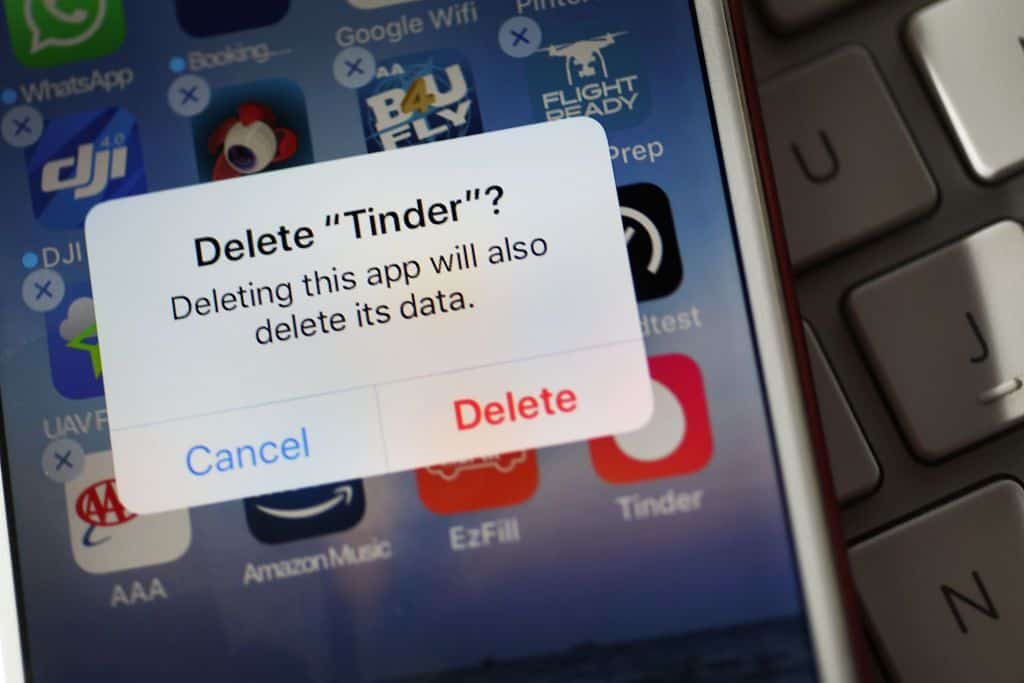
After deleting your account, uninstall the Tinder app completely.
- On Android, also clear Tinder’s app data and cache in your phone’s settings.
- On iPhone, deleting the app usually wipes the data automatically.
This helps to make sure that no lingering data remains on your phone that might link your new profile to your old one if you reinstall Tinder too soon.
3. Wait at Least 90 Days (3 months)
This is the hardest part, but also the most crucial. Stay completely off Tinder during this period, and don’t try to create a new account using any of your old info. Avoid the temptation to “test” whether you can sign up early.
Some wait even longer than 90 days (like 92 or 95 days) just to be extra safe, since Tinder’s systems don’t always purge data precisely at the 90-day mark.
4. Prepare Fresh Info and Photos
While you’re waiting, get ready for your comeback. You’ll need:
- A new email address. This avoids accidental connections to your old account.
- A new phone number. If your previous account was shadowbanned, using the same number might trigger a re-ban regardless. Services like DatingZest offer efficient, private phone numbers that help erase any suspicions on Tinder’s end
- Fresh photos. Tinder can recognize images you’ve used before. Either take brand-new photos or significantly edit your old ones: change the crop, add filters, or remove photo metadata.
- An updated bio and profile prompts. Even your words can look familiar to Tinder’s system. Keep it fresh, short, and authentic because you want to show up like someone new, not someone recycled.
- No old social media connections. Avoid linking your new account to the same Instagram, Spotify, or Facebook as before.
5. Reinstall Tinder and Sign Up Fresh

Once at least 90 days have passed, reinstall Tinder and sign up as if you’re completely new. Make sure to:
- > Use your new email address.
- > Use your new phone number.
- > Upload only your new photos.
- > Fill out your new bio and prompts.
- > Avoid linking any old social accounts.
The more different your new account looks, the better your chances of avoiding detection and getting the fresh-start boost.
6. Keep Your Behavior Natural
Once your new account is live, don’t trigger Tinder’s suspicion by acting like a bot. Avoid the following:
- Swiping right on every single profile all at once.
- Copy-pasting the same message to dozens of matches.
- Sending spammy or aggressive language.
Instead, swipe and chat at a natural pace so your new account stays in good standing. Treat it gently, like a new plant you’re trying to grow.
Does the 90-Day Rule Apply to Other Match Group Apps?
Yes, the 90-day rule applies to other Match Group apps like Hinge, OkCupid, and Plenty of Fish. When you delete your account on any of these apps, your data stays on their servers for about three months.
During this time, if you try to come back using the same phone, email, photos, or device, the app can recognize you and may limit your visibility or even ban you again, especially if you were previously banned.
Tinder keeps your data for 90 days and longer if banned. Reusing old info too soon often leads to shadowbans or bans.
Hinge also keeps data for 90 days. It offers a “Fresh Start” feature, but a full reset still requires waiting and new info.
OkCupid holds data for about 90 days and can shadowban accounts that reuse old details too quickly.
Plenty of Fish follows the same rule and is strict about blocking banned users from returning.
These apps often share data. If you’re banned on one, you could be flagged on the others. To truly reset, wait at least 90 days, and use new details like a fresh phone number, email, device, and photos.
Maximize Your Chances of Success: What to Do vs. What to Avoid
So you’ve waited your 90 days. Now what? This is your chance to come back better than before and avoid falling into the same pitfalls.
✅Do’s:
- 1. Wait a few extra days even after reaching the 3-month mark.
- 2. Acquire new info to use on your account: phone number, email address, photos, and bio.
- 3. Properly delete your account before deleting your app. Many people who’ve tried this method fail here.
- 4. Delete your other Match Group accounts, too, because data is shared across platforms.
- 5. Consider using a new device. After the 3 months have been completed, initiate the process on a new device…just as a safety measure!
❌Don’ts:
- 1. Skip out on any of the steps, even the ones that might seem insignificant to you.
- 2. Link old social media accounts. Better safe than sorry, right?
- 3. Be impatient. Not waiting the full 90 days will prevent you from starting fresh, and even worse, you’d have waited for nothing.
- 4. Have too much faith in the 90-day rule. It doesn’t always guarantee success, and sometimes (though not often), your account will remain invisible.
My advice? Be patient, thorough, and optimistic!

I got banned on Tinder. I do not understand. Why can you please tell me