
I don’t know about you, but I always use my best photos on Tinder and Hinge. The pose, the lighting, the background…everything is chef’s kiss!
But when you get banned, those amazing photos go to waste, and reusing them puts you at risk of being re-banned. How can you avoid this?
Does Tinder Ban Photos?

Yes, the rumors are true. When a user is banned on Tinder, Hinge or any Match Group app, so are their photos in the sense that their biometric data is stored for future reference.
Tinder employs a 90-day rule in which data is retained for 3 months (or more) following account deletion.
Your face is identified through your profile photos and selfie verification. After verifying, Tinder claims to delete the video, but the facial geometry data is kept for 30 days after account closure.
Tinder, like most apps, likely uses image hashing (dHash, aHash, and pHash), which means it analyzes users’ photos based on features like:
- Structure;
- Brightness;
- Colors;
- Pixels, etc.
So, if you recycle banned photos, Tinder makes a side-by-side comparison of your old and new account’s photos to recognize you.
Can you recycle photos on Tinder? Also yes, but you have to adjust them.
1. Non-Negotiable: Rejoin Tinder With New Info
If you were banned or even shadowbanned on Tinder, I’m sorry, but you have bigger fish to fry than worrying about your photos.
You have to pair the fixed photos with an unsuspecting profile. First, create a completely new account on a new phone and internet connection.
Next, verify with a number you haven’t used on Tinder before. It has to be private, real, and non-VoIP – DatingZest Tinder Numbers help with this step.
The truth is that Tinder saves multiple types of data other than photos: device ID, network, phone number, IP Address, and others.
Only after you’ve wiped your old identity clean off Tinder can you start altering your images. This is how to reuse old pictures on Tinder after being banned:
2. Reuse Your Tinder Photos With DatingZest Hash Cleaner
We all have those perfect photos we use on every social media platform. Good news: you don’t have to give them up, all thanks to DatingZest Hash Cleaner.
What it does is that it changes your old images’ hash values just enough for them not to be traced back to you.
- Grid: Small alterations of the photos’ crop and zoom;
- Pixels: Subtle noise is added to prevent identification;
- Brightness: The lighting is slightly toyed with;
- Tilt: The perspective shifts so as to change the pattern.
They’re undetectable micro-adjustments that fool the Tinder system. The photo’s quality remains impeccable. It’s like baking brownies, except the order of each piece is rearranged.
Just upload your photos to the DatingZest Image Hash Cleaner tool. They’re safe – the pictures are used for hash-cleaning only, and aren’t kept.
3. Edit Your Old Tinder Photos
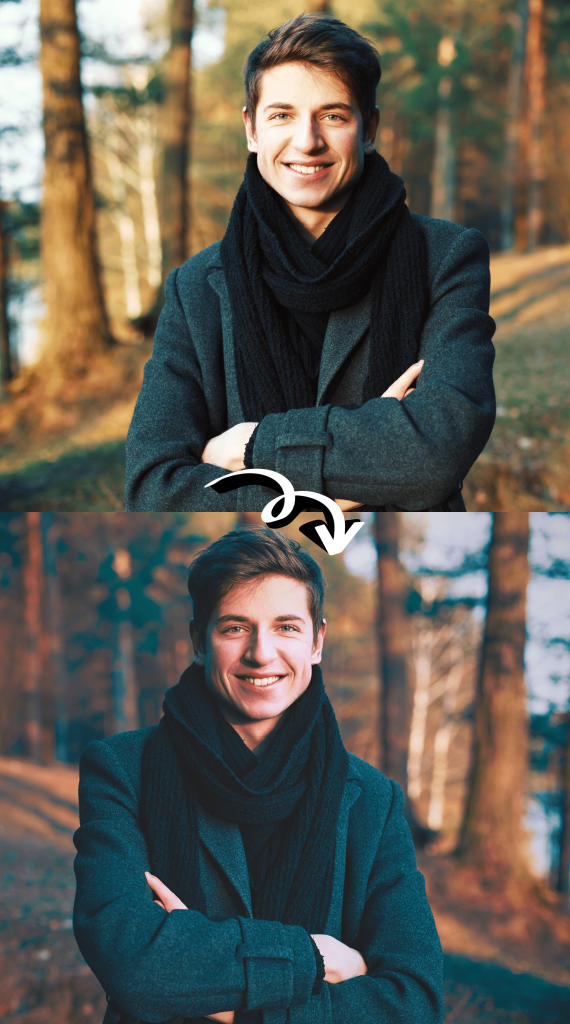
It’s a gamble because simply editing your photos still puts your new account at risk after getting banned, as Tinder’s AI is advanced.
It works for some, however, so if you are desperate to reuse your old photos, try out the following tricks:
🎨 Editing apps:
Add filters to your photos using editing apps (e.g., VSCO, Prequel, Lightroom, Tezza, etc.). The look of your photos will change, look more aesthetic, and hopefully fly under Tinder’s radar.
📱 Your phone’s default photo edit options:
Most modern phones’ default photo apps come with a built-in editing tool. Adjust the pictures’ brightness, exposure, highlights, and other values, or crop and tilt by a few degrees.
This method is high-risk and low-reward, as most get banned after already signing up on a new device and number. Talk about going back to square one.
4. Use an AI Editor to Change Your Old Tinder Photos
AI can help change the appearance of your banned Tinder photos so that they can be reused. A fair price to pay for robots taking over the world.
You can use general AI tools for this: ChatGPT, Gemini, Adobe, Canva, and more – give it the prompt of what you want changed, or manually make the changes.
Beauty retouching AI tools, like BeautyPlus, Meitu, AirBrush, etc., work too for editing faces, hence, hashing as well.
Privacy risks are a problem with methods like these, so if you have a problem with that, skip them. If not, try doing these:
- Add/remove background elements;
- Change filter and size;
- Slightly alter face (but not catfish-level editing!);
- Test other fine-tuning features, like grain levels, blurring, and HD filters.
Your appearance has to be a close match with your Liveliness Check video when getting selfie-verified.
5. Remove the Photo Metadata Before Uploading to Tinder
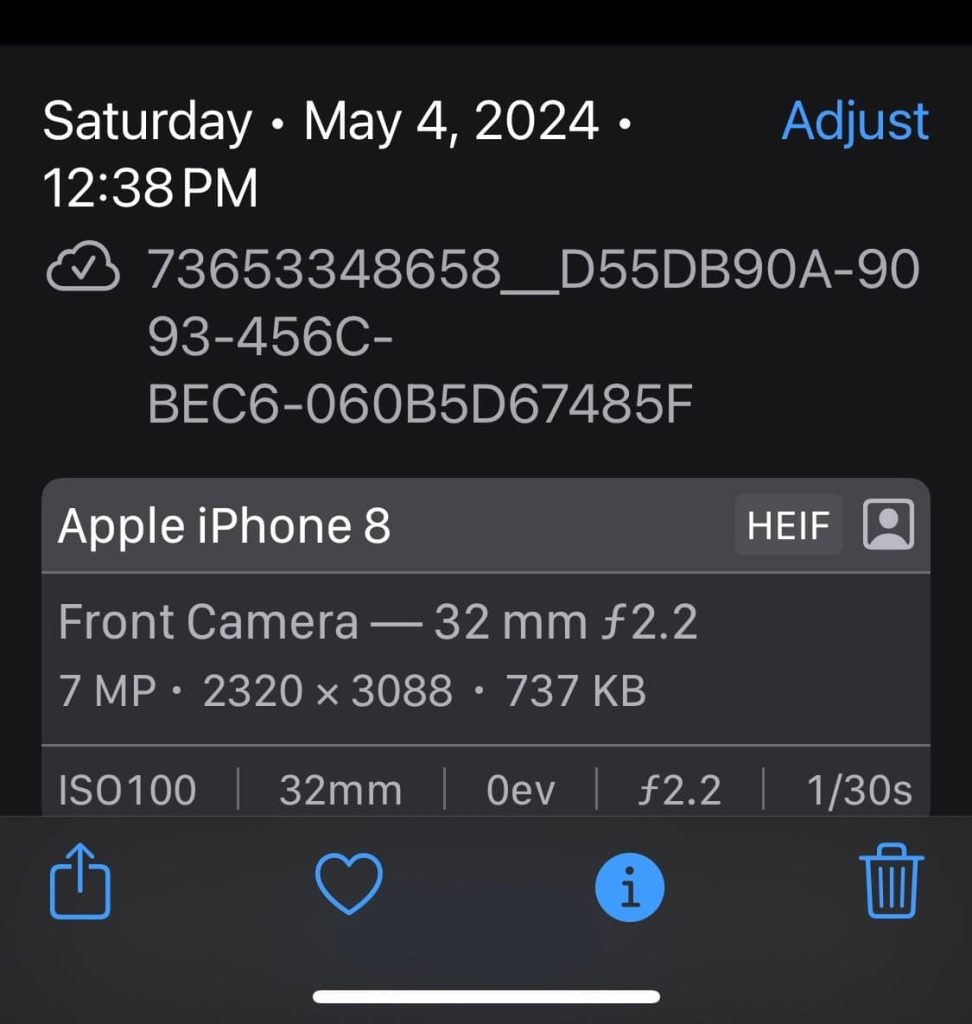
Metadata is the technical information attached to all photos: time, date, camera model, location, and similar.
Start by changing the data. You can do this through specialised tools like Exif, or even on your own phone/PC.
On your phone, go to the default Photos app, open the photos you want, click on Information, and Adjust.
On PC, go to Files, right-click on your photos, select Properties, go to Details, and choose “Remove Properties and Personal Information”.
This way, you are removing links that carry over to your new Tinder account that would help the system recognise you.
Does Screenshotting Help With Banned Photos?
Screenshotting rarely works. I don’t want to exclude the possibility of it masking banned photos, but it doesn’t work the majority of the time, if ever.
It might help with removing metadata, changing the crop, and altering quality, but your face is still very much recognizable, and that’s the core of the issue.
What works best is opening a new account with fresh info and uploading the photos after cleaning their hash value with DatingZest.
If the stakes are high (e.g., you already have a whole new setup to reverse Tinder bans), don’t risk it. It usually all goes to waste.
Do You *Have to* Use New Photos on Tinder After a Ban?
It’s not mandatory, but new photos after a Tinder ban are the safer alternative because the system will have a harder time realizing who you are.
| Feature | New Photos | Old Photos |
| Hashes | 🟢 New hash values | 🔴 Same hashes, easier match |
| Facial Expression | 🟢 Different expressions | 🔴 Recognized by system |
| Metadata | 🟢 New metadata | 🔴 Same camera/app data |
| Background | 🟢 Unfamiliar/new environment | 🔴 Same background, easy detection |
| Data Retention | 🟢 Old data irrelevant | 🔴 Stored info links accounts |
| Risk Score | 🔐 Low (2/10) – Strong chance of approval | ❌ High (8/10) – Likely to be flagged |
How likely you are to get unbanned on Tinder depends on these 4 other factors as well:
1. Your country’s biometric data laws, which impact the data retention policies and affect the potential to be identified by Tinder.
2. If you’re playing it safe with new photos or risking it with the old photos, which you have to edit or use technology like DatingZest.
3. Whether you’re starting fresh with a new profile. New photos alone won’t cut it, so you need a new device, number, IP Address, and other info.
4. Your selfie verification status, from which Tinder scans your face and stores the data. Make sure to make small changes, like changing your hairstyle.
My take? If you really love your old photos, go for them after applying DatingZest. If you’re meh about them, get the camera ready!

Leave a Reply