
You’re not the only one who can’t delete their Tinder account – the endless pop-ups, useless buttons, and unsuccessful attempts. The good news is that we’ve figured out what causes and fixes it.
First, try the easy fixes: update your app, use a better internet connection, log in with your number. If you’re considering a break, toggle off “Show me on Tinder”.
If none of that works, then the issue is probably your account. Try these steps to get past Tinder not letting you delete it:
1. Try again, but inside the Tinder app
Log out on every device, and force-quit the app. Clear app cache/data on Android, or reinstall on iOS. Log back in, preferably using your phone number. Go to Settings → Delete Account, and follow the prompts to confirm.
2. Delete through Tinder’s Portal web tool
This time around, go to account.gotinder.com and sign in. Use the Delete Account option there, and watch for a confirmation email. Respond exactly as instructed.
3. Use Tinder’s Privacy Portal
If the normal delete options keep failing, go directly to privacy.tinder.com (Tinder’s data request portal).
Log in and select “Delete my data” or “Erase personal data.” This bypasses in-app issues and triggers Tinder’s privacy team to process full deletion within a few business days, even for stuck, frozen, or banned accounts.
4. Get in direct contact with Tinder’s team

Go to the Help Center and submit “Trouble with account login → Can’t delete my account.” Include your number (with country code), the exact error message, and the steps you already tried.
If you’re in the EU/UK (GDPR) or California (CCPA), politely reference your right to erasure (e.g., “I’m exercising my right to erasure of personal data under GDPR/CCPA”) and request confirmation.
If you don’t hear back after a while, send follow-ups. Some need multiple tickets; others got confirmation within hours after contacting Tinder.
5. For flagged Tinder accounts, do this:
If Tinder support confirms your account is banned or under review, ask for manual deletion through the Help Center.
If deletion still fails and you just want out, strip the profile: remove photos, bio, and linked socials; change your name and contact info; cancel billing; and let the account go dormant while you push support.
Why Tinder Doesn’t Let Users Delete Their Accounts
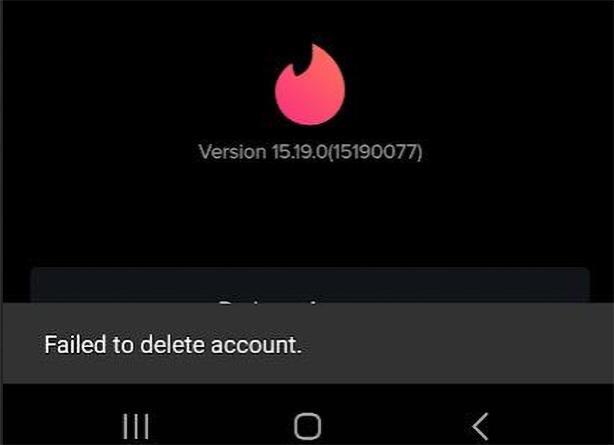
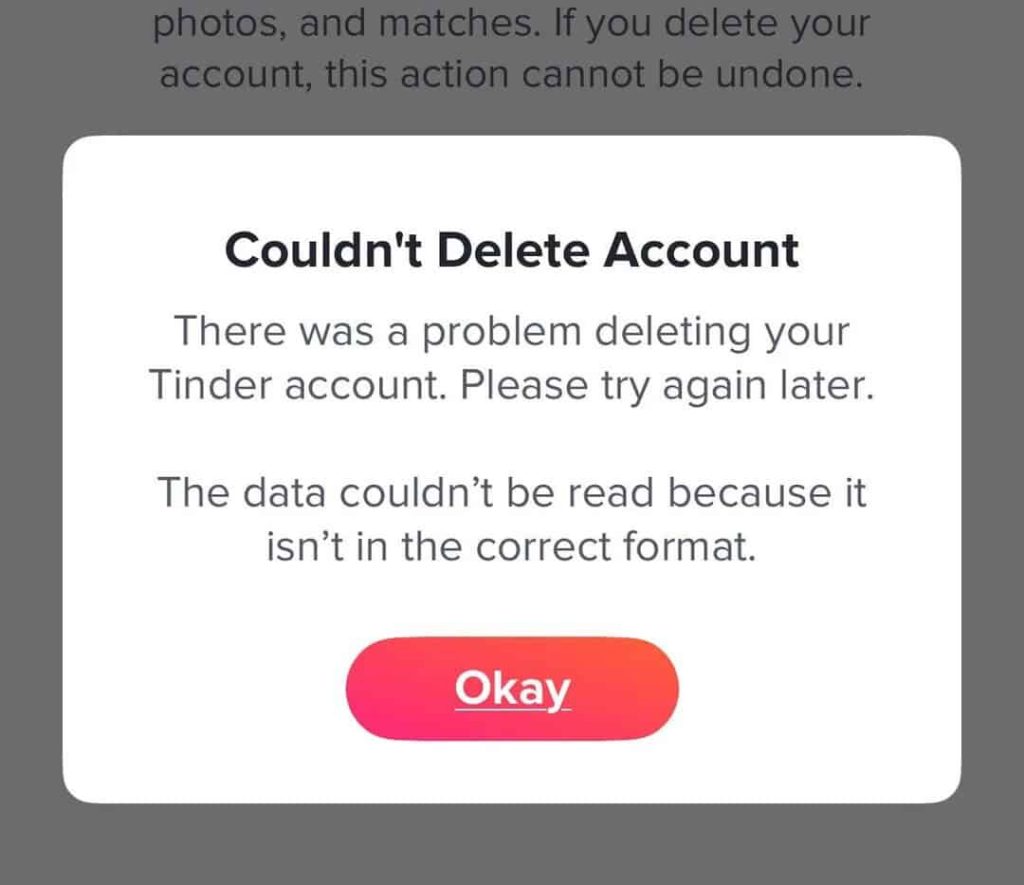
Tinder prevents users from deleting their accounts due to technical or account issues. “Failed to delete account”, “Couldn’t delete account. Please try again later”, a blank/looping screen, or error 500 may appear.
The reasons vary:
- App or server glitches: The delete call app state expires. Network errors, outdated app versions, staying signed in on multiple devices, or cache can cause this.
- Login method mismatch: If you’re logged in on Tinder through Apple or Google, the delete call can fail.
- Pending verification: Phone, email, and selfie verification may block deletion. Finish any verification first, then try again.
- Bans and shadowbans: Banned and shadowbanned accounts often glitch, and deletion works fine for a fresh account on the same device.
- Subscription/billing error: If billing is still active through Apple or Google, the deletion may fail.
- Expectation vs. policy: Tinder retains data for up to 90 days. Your old matches may still see your profile briefly after deletion.
- Cooldown/anti-abuse rules (unofficial): There may be a waiting period if you try to delete soon after creating your account.
- Device/number/IP: Tinder can blacklist your phone number, device ID, or IP. Even after deletion, those reputations can carry over.
Important: Uninstalling the Tinder app does not delete your account. The profile and data remain active until you go through the actual deletion process.
Tips: STILL Can’t Delete Your Tinder Account?
Give it 24–48 hours before trying again. Intermittent server or verification bugs often resolve on their own.
If you plan to return to Tinder with a clean slate, you’ll need a new number, a fresh email, and ideally a different device or VPN. DatingZest offers private Tinder-compatible numbers for verification.
If your Tinder was created using Facebook or Apple, unlink it there:
- Facebook: Settings → Apps and Websites → Tinder → Remove access
- Apple ID: Settings → Apple ID → Password & Security → Apps Using Apple ID → Tinder → Stop using Apple ID
Before deletion, cancel any Tinder Plus, Gold, or Premium subscriptions in your App Store or Google Play account. Tinder’s backend won’t allow full deletion while active billing is tied to your profile.
How to Delete Your Tinder Account on Specific Platforms
If you’re an iOS user…
Deleting your Apple subscription is separate from deleting your Tinder profile. Cancel your subscription first to avoid extra charges. Reinstall Tinder, clear cached data, and if the app still fails, use the web delete option.
If you’re an Android user…
Clearing app cache and storage can help. On some builds, staying logged in via Google Sign-In while you originally signed up with a number can block deletion. Use the same method you originally used.
If you’re a Web user…
The web delete page sometimes throws generic Tinder errors. Try again after clearing cookies or switching browsers/networks, then complete the email confirmation step after using the web tool.
Pro Tip: If you want to sign up with the same number but the old one won’t delete, change the old account’s number first, then delete it.

Leave a Reply