
Getting banned from the Bumble app brings the same loop every time: frustration, confusion, and the urge to just “start over”.
Bumble doesn’t just ban your account…it bans everything tied to you.
It remembers your phone, your number, your IP address, and even the photos you’ve uploaded. This time, I’ll show you how to beat Bumble at its own game.
What info does Bumble track after it bans users?

What makes it so tricky to return to Bumble after getting banned is the fact that users’ data, such as the following, is retained…
- Phone number: If you use it after being banned on Bumble, even if your account gets deleted, you’ll still get banned.
- Device ID/Advertising ID: Your phone has hidden identifiers that Bumble recognizes even after deleting the app.
- IP address: Signing up from the same Wi-Fi you used before can trigger Bumble’s security system.
- Photos and selfies: Bumble may use photo hashing or even facial recognition, meaning you shouldn’t recycle previously used photos.
- Social media accounts: Linking the same Instagram, Spotify, or Facebook instantly connects you to your old account.
- App Store/Google account: App-related metadata may reveal your identity.
- Payment info: If you reuse the same card or Apple Pay/Google Pay account, it could expose your identity.
- Support history: Prior tickets and verifications remain tied to you.
Although Bumble says deleted users’ data can be restored for about 28 days, and then they begin deleting, the platform may retain certain data for safety, fraud prevention, and to stop banned users from returning.
If you want to return after a ban, you need to disappear and reappear as someone Bumble has never seen before. Here’s how to get back on Bumble after a ban using the reset method:
Step 1: Get a brand-new phone number

Weak public services like Google Voice or basic VoIP don’t work well with Bumble because the platform blocks them; you may get banned again.
The best path is to use a private, SIM-based phone number from services like DatingZest or Bumblefone, which are designed to help users get back on dating apps after bans.
Get your phone number (2 for $9.95), sign up on Bumble with it, verify with the code sent from DatingZest, and enjoy your stay without risking your personal digits!
Step 2: Change your device environment

Option A: Use a completely different phone (ideal).
Option B: Do a full factory reset, then create a new system user profile, reset the advertising ID, clear any residue left from your previous device, and do not restore from backups.
Option C (Android only): Use Secure Folder on your phone or a high-quality emulator to mimic the appearance of a new device.
Step 3: New App Store or Google account
Don’t install Bumble from your banned Apple ID or Google Play account. Create a fresh App Store or Play account with a new email.
Do not sync contacts during setup, and avoid signing the device into your old store identity. Install Bumble only after the new store profile is active.
Step 4: Use a different IP address
Don’t sign up from the same home Wi-Fi or router unless you want Bumble to recognize you. Switch to 5G mobile data, a different Wi-Fi, or a trustworthy VPN.
Your VPN IP should match your phone’s GPS region, and you should keep it stable for your first sessions. Location mismatches and frequent endpoint hopping look risky.
Step 5: Rebuild your profile from scratch, photos, and details

Start from square one: new photos, bio, prompts, and email address. Do not link your socials from the old account.
Bumble’s verification uses facial comparison and image hashing. Take different photos with different lighting and poses instead of re-uploading anything from your old profile.
If you get photo-verified, follow the prompts exactly. Do not crop, edit, or screenshot the verification selfies. Use recent, unedited images so the system can match you cleanly without flags for manipulation.
Step 6: Avoid suspicious behavior
Now that you’re back on the platform, you have to try twice as hard to get on Bumble’s good side. This is what I recommend:
❌ DO NOT:
- Reuse your phone number or SIM, even once;
- Log in from the same home Wi-Fi;
- Copy and paste your old bio;
- Link your previous Spotify or Instagram;
- Use old selfies (on your profile or for verification), even if edited;
- Sign into the same Apple/Google account to install Bumble;
- Attempt to “restore” your old subscription or pay with the same card.
✅ DO:
- Swipe naturally and slowly, without rushing;
- Use mobile data or a different network for the first few days to avoid an IP match;
- Chat normally and avoid copy-pasting the same opener to multiple matches;
- Monitor your account; if you get logged out suddenly, Bumble may have detected a link to your old profile.
Bumble has something similar to a Tinder-style shadowban. Even if you did everything right, reusing a photo, a payment method, or an old network can trigger another block.
Why do Bumble bans happen? The unavoidable triggers
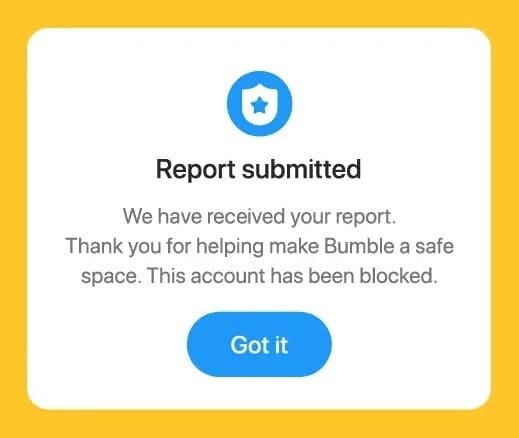
There are the obvious guideline violations like harassment, nudity, fake profiles, scamming, or self-promotion. Then there are the misunderstandings or revenge reporting. The triggers vary:
- A match falsely reported you out of spite
- You failed the photo-verification process
- You tried coming back from your first ban using the same info (photos, socials, number)
- You were banned on a sister app and then on Bumble later
- You used BFF or Bizz for romantic outreach, which is a violation
There’s no specific number of reports needed; one severe report can be enough. A handful of lower-severity reports can add up if other signals agree.
Similar to Match-Group apps, Bumble tends to act first and sort details later, which is inconvenient because bans are almost always permanent.
Is it worth trying to appeal your Bumble ban?
Yes, try once, and do it properly. There is no separate “unban” form, but there is a Help Center path for blocked accounts and disputes.
The few exceptions that win are usually mistaken identity, false reports, or an unfair photo-verification failure. If you’re ready to appeal, do this:
1) Go to Bumble’s Help Center → “Why was my account blocked?” → submit the dispute. If you live in the EU, mention your right to appeal under the Digital Services Act within six months. Keep it short and factual.
2) Explain your case briefly and politely.
If it was a false report or mistake, ask for a review. Add only the proof that addresses the allegation:
- Government ID for age or identity flags
- Recent, unedited photos for verification issues
- Short chat context if a message was misread
– Appeal template you can use:
“I was surprised to find my Bumble account banned, as I always follow the community guidelines and aim for respectful interactions. I believe this might have been a misunderstanding or a false report, and I’d appreciate a review of my case. If there was a specific reason, could you please clarify? I’m more than willing to address any concerns and ensure I comply with your guidelines.
Registered Email: [Your Email]
Phone Number Used for Signup: [Your Phone Number]
Thank you for your time.”
3) Wait for a response.
Bumble typically replies within a few days. If you do not hear back, send one polite follow-up. Do not spam across channels.
You can also contact Bumble on social media: Twitter or X @BumbleSupport and Instagram @Bumble with a short DM.
For email, use support@team.bumble.com. Include your registered email and phone number with your brief explanation. Avoid “feedback@…” addresses for ban cases; they rarely move account reviews.
Terminated accounts generally do not receive refunds. Do not press “restore purchases” on a new build. Reusing the same card or purchase history can link the new profile to the banned one.

Thanks for the detailed steps Liam. I’m a tad confused on step 6 though re not refusing old photos. You said :
“The same goes for when you get photo-verified; don’t crop, edit, or screenshot your photos, as Bumble uses image hashing…”
It’s my understanding that when you are being photo verified you can’t edit the photos in any way as it’s a live photo taken by the app ?
Please could you clarify what you mean here, thanks