Feeld gives no warning or explanation when it bans users – just a message saying your account didn’t pass safety checks or “Your account has been terminated”.
Whether it was a mistake or a ripple effect of reports, Feeld bans can be fixed. There are two ways to get unbanned from Feeld: appealing and starting fresh.
| 🔁 Appeal | 🔄 Fresh Start | |
| Speed | ⏳ Slow | ⚡ Faster |
| Success Rate | Moderate | High if everything is fully reset |
| Best For | Misunderstandings | Device bans |
| Complexity | Easy | Hard |
| Risk of Reban | Medium if no change is made | Low if everything is new |
| Trackability | High (if the same data is reused) | Low (if new info is used) |
What Are the Common Reasons for Feeld Bans?
Feeld bans users who get reported, not necessarily for breaking the rules. If enough people report a profile, the Feeld moderation team is quick to issue bans.
Here are the most common ban triggers Feeld’s safety system looks out for, especially when multiple guideline violations appear at once.
- Suggestive or sexual images (even without nudity)
- Bios with advertising or solicitation
- Cropped body shots or photos without a visible face
- Spamming the same messages
- Profiles with unclear gender setup or appearance mismatches
- Mentioning platforms outside of Instagram (Telegram, WhatsApp, etc.)
- Photos with minors, visible drugs, guns, or explicit toys
- AI-generated, artistic, or overly abstract profile photos
- An excessive number of interest tags
You may get banned for appearing “fake” or “bot-like”, or if your interactions with other Feeld users seem scripted or copied.
What Data Feeld Tracks & Why Re-bans Happen
Once banned, Feeld keeps your data, so creating a new account with the same data may lead to instant re-bans, even if you’ve deleted the app. This is what’s retained:
- Email address and phone number
- Device ID and advertising identifier (GAID on Android, IDFA on iOS)
- IP address and Wi-Fi fingerprint
- Apple ID and Google Account
- Device logins
- Profile photos, bios, and other content
- App metadata and account history
Feeld uses image hashing even for edited images (regardless of background blur, zoom, filter, etc.). It also detects duplicates, including written content, like bios and messages.
Feeld may flag devices that use the same IP or Wi-Fi as a banned account: home networks, hotspots, or anything you used while on Feeld.
Note: Some bans are linked to behavior, too, like typing style and message patterns.
Feeld deletes paused or inactive accounts after 12 months, but some links persist longer, especially if they were flagged for guideline violations.
How to Effectively Appeal Your Feeld Ban
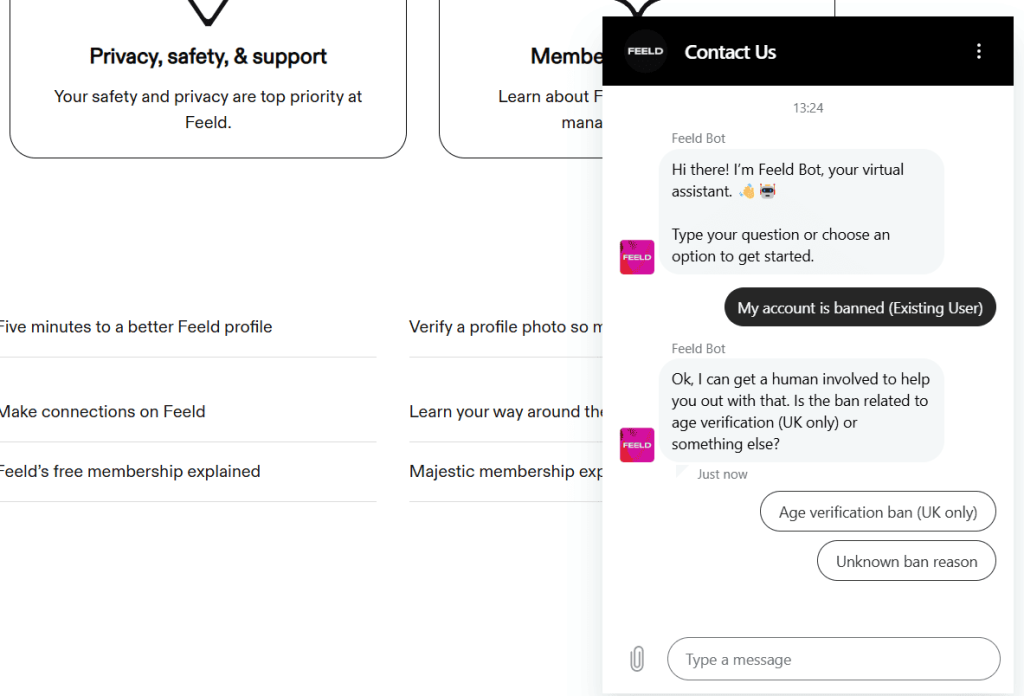
Appealing should be your first step, especially for your first Feeld ban. Send a short, respectful message where you take accountability or clear up any misunderstandings.
Before submitting, change your bio and switch out any spicy photos, remove social links, and don’t mention anything related to sex work or cash apps.
Go to support.feeld.co and open the live chat in the bottom right. Select “My account is banned (existing user)”, enter your email, and write your message.
Message Example:
“Hi Feeld Support. My account under [email] was recently terminated, and I’d like to request a review. I’ve read the Community Guidelines and Photo Policies and have updated my profile. If anything I posted caused concern, it wasn’t intentional, and I’m happy to correct it. Thank you.”
– If the chat doesn’t load, email support@feeld.co with “Subject: Ban Appeal – Feeld Account (your email)”.
Replies are often automated and usually come within 1–5 days through Zendesk or Help Scout – send a follow-up if you’re ghosted for a week or more, but be polite and keep changing your profile.
Important: Don’t log back into your banned account before appealing. And if the initial response is negative, you’ll need to show clear, visual changes.
💳 If you had a Majestic subscription, include the date of purchase, platform (Apple or Google Play), and receipt ID. Ask if a refund is possible.
Feeld probably won’t explain what caused the ban, but if the appeal is denied, start fresh with these steps:
1. Sign Up With a New Number and Email on Feeld
When signing up for a new Feeld account, make sure the email you use was never linked to an old Feeld profile or any flagged social media/dating app accounts.
As for the phone number, use a non-VoIP, unused SIM number. Avoid VoIP & public numbers, like Google Voice, Burner, or Hushed.
DatingZest works better for banned Feeld users because it offers anonymous, real, non-VoIP numbers that work on Feeld and other dating apps.
2. Sign Up for a Feeld Account on a Different Device
The best way to come back from a Feeld ban is to use a different phone entirely. If not, use the Factory Reset option on your phone.
- On Android, uninstall Feeld, clear app data/cache, reset GAID, block backups, and log out of your old Google ID.
- On iOS, use a new device, or create a new Apple ID and reset everything.
Install and sign up on Feeld using a new Wi-Fi, mobile data, or a residential VPN. Avoid free VPNs because they are often detected and blocked on Feeld.
3. Avoid Your Old Profile Content and Behavior
Don’t re-upload photos you used on your old Feeld account. Don’t reuse bio phrases, hashtags, and promo links either.
Avoid tags like “sex work”, “OnlyFans”, “findom”, or mentions of payment apps. If you’re poly or partnered, use Feeld’s native pairing system.
Since new Feeld accounts are monitored, behave normally. No rapid liking or matching, spamming the same message to many people, and going off Feeld.
Let your account sit after creating it. Fill out your profile details slowly and engage like a new user, not someone trying to rebuild a following.
Can You Recover a Deactivated/Inactive Feeld Account?

Yes, but only if you haven’t reached the 1-year mark. If you manually paused your account, Feeld may auto-delete it after 12 months. But if it’s inactive (not logged in), it can still be flagged later if reported.
If you delete your profile, Feeld may retain the data for up to 90 days, or longer, depending on GDPR/CCPA regional compliance.
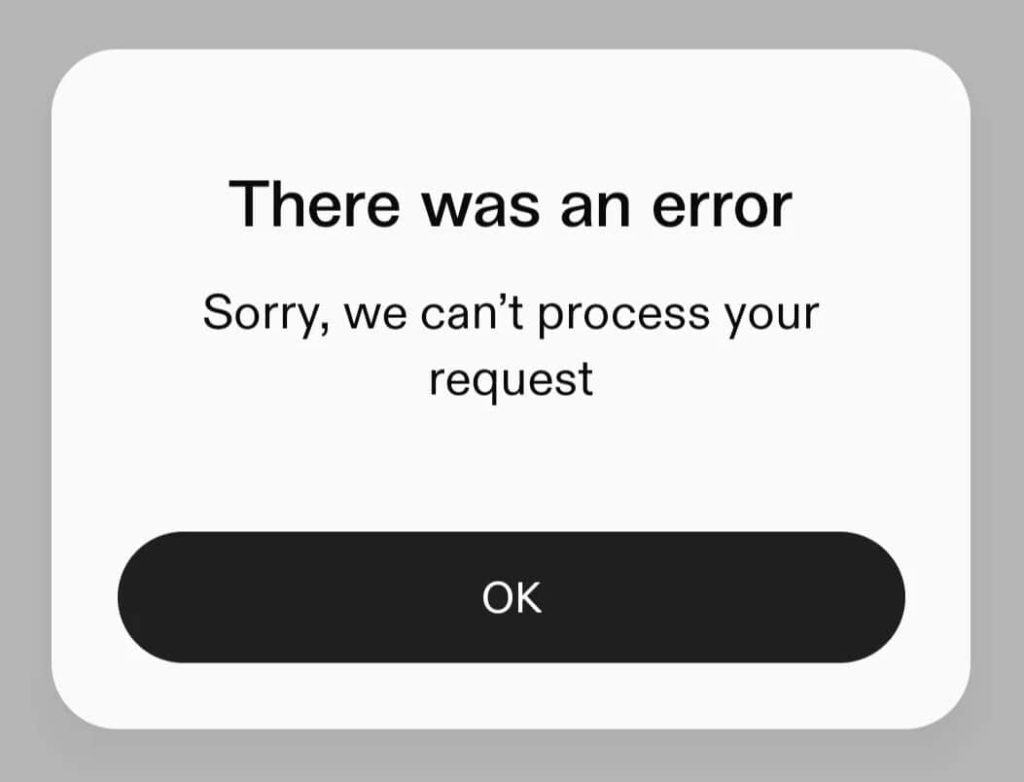
Feeld’s moderation relies on reports and automated systems, and sometimes, users see the “We can’t create this account” error. This is usually caused by recycling banned info.
Feeld doesn’t revisit rejected appeals unless new evidence or major profile changes are shown, and there’s no public appeal escalation system.
We also have “stealth bans”, similar to shadowbans, which occur when users can open the app, but their profile and messages are hidden.
Does Feeld Issue Refunds to Majestic Subscribers?
Feeld does not offer direct refunds unless the ban was a mistake; however, Apple and Google Play may offer refunds if:
- The subscription is recent (within 48 hours to one week)
- The user explains that the ban was unexpected or unfair
*Mention this during your first appeal with Feeld to avoid delays.
Note that Feeld doesn’t transfer subscriptions to new accounts. You’ll need to repurchase it with a different payment method.
Don’t subscribe until your new account stabilizes for at least a few days. Feeld’s system may be strict, but successful returns happen when you’re patient.
FAQs: Feeld Bans
1. Why was my Feeld account banned without warning?
Most bans are triggered by multiple user reports or content that violates guidelines: suggestive photos, promo-style bios, external handles, etc.
2. Can I appeal a Feeld ban?
Yes. You can appeal via support.feeld.co or by emailing support@feeld.co. A respectful message acknowledging the issue and outlining changes made (e.g., new bio, photo updates) increases your chances.
3. What happens if I try to sign up again after a ban?
Feeld tracks device IDs, IP addresses, emails, and phone numbers. Reusing any of them can lead to instant re-bans, even if you create a new profile.
4. How do I safely create a new account after being banned?
Use a new device, switch to mobile data, and sign up with a fresh email and unused number (avoid recycled/VoIP numbers). Tools like DatingZest can help.
5. Will Feeld refund my subscription after a ban?
Not usually. Feeld doesn’t refund bans they consider valid. You may try requesting a refund directly through the App Store or Google Play.


Leave a Reply